MVsharp Python integration
How to integrate your existing BASIC application with server-side Python scripting.
Introduction
Python is a powerful scripting language that is extensively used by millions of programmers around the world. It also has a rich set of libraries to perform many functions that are freely available.
The purpose of integrating Python with MVsharp is to give software development houses the ability to use Python programmers to achieve application functionality seamlessly in your MVsharp environment.
Our implementation of the Python environment uses IronPython which is a full .NET implementation of Python 2.7. Because it is a .NET implementation the Python script is run inside the same process that your BASIC application is running. This gives the following benefits:
-
Because the script is executed in the same process and there are no IPC calls to another process, it is lightning fast.
-
Your entire session is available in the Python script.
-
The entire MVsharp Runtime (BASIC Runtime) is available as functions inside your Python script. You can open files, read records, do OCONVs etc. In fact, every single BASIC function is available.
-
Python scripts are seamless to your existing application: you can CALL a Python script and pass arguments exactly the same way you call a BASIC subroutine.
There are no extensions or runtime that need to be installed in order to use Python scripts. It is all built into the MVsharp runtime.
In order to differentiate Python scripts from BASIC programs, all Python scripts must end with the suffix ".py".
e.g. HelloWorld.py
Creating Python scripts
Python scripts are stored in any directory file and can co-exist with your BASIC programs in the same file.
For the purposes of this document, we are going to create a separate file called PythonScripts where we will store our Python scripts.
>CREATE.FILE PythonScripts Type=Directory
Python scripts can be created using ED or Visual Studio Code. Visual Studio Code has the advantage of code highlighting, linting, formatting etc.
Configuring Visual Studio Code For Python
There is a Python extension for Visual Studio Code that will enrich your Python development with MVsharp. You can install the extension by typing "Python" in the Extensions search box and selecting the Python extension from Microsoft.
Once the extension is installed, we can configure the extensions in our settings.
MVsharp is installed with stubs for the MVsharp Runtime, Dynamic Array and Session. This enables you to use IntelliSense and linting on all of the MVsharp Runtime in Python. To configure the path, add the following setting in your preferences:
The above path depends on where you initially installed MVsharp.
Creating Scripts
HelloWorld.py
Following convention, our first script displays "Hello World" on the terminal. In Visual Studio Code, create a new file called HelloWorld.py with the following:
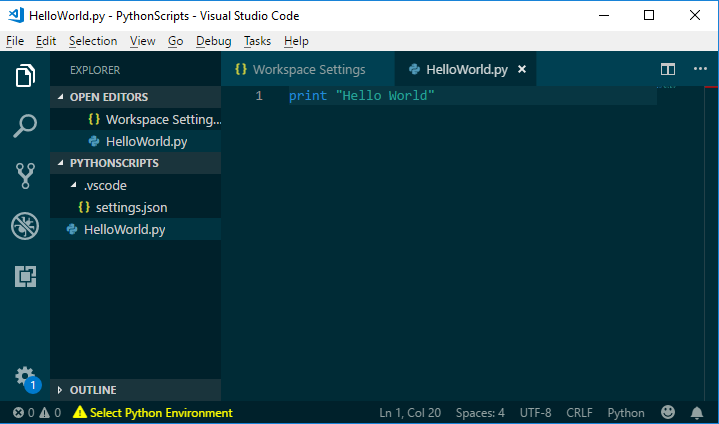
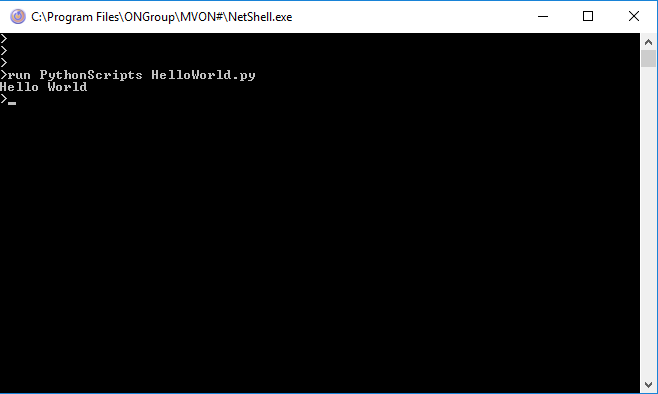
We can test the script by running it:
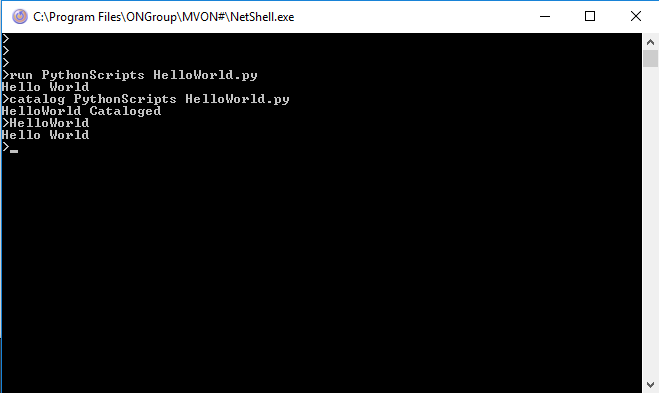
We can also CATALOG the script so that we can call it straight from the command line:
Using MVsharp functions in Python
Using Python with MVsharp gives the best of both the Python World and the .NET world. The entire MVsharp runtime as well as any Python libraries are available in your Python script.
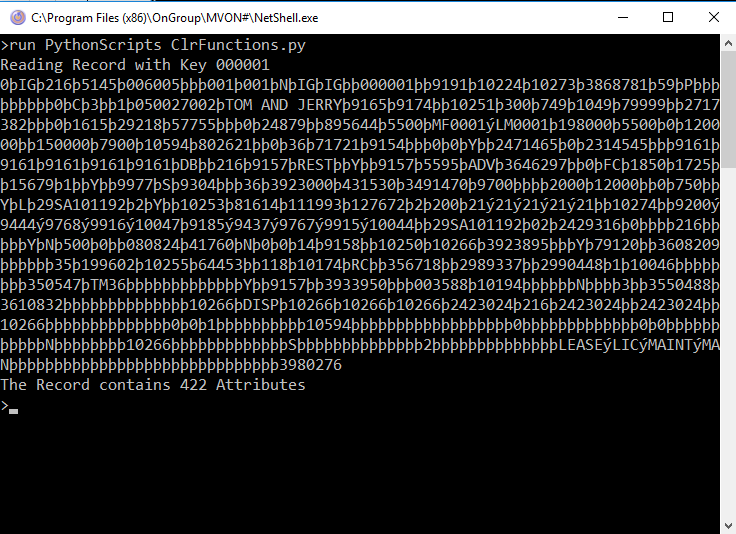
In the following example, the Python script will OPEN an MVsharp file, READ a record, and display the contents and the attribute count.
import clr
import sys
# Create references to MVSHARP Runtime
clr.AddReferenceToFileAndPath("C:\Program Files\ProsolGroup\MVSHARP\BasicRuntime.dll")
clr.AddReferenceToFileAndPath("C:\Program Files\ProsolGroup\MVSHARP\DimArray.dll")
clr.AddReferenceToFileAndPath("C:\Program Files\ProsolGroup\MVSHARP\DynArray.dll")

from BasicRuntime import Functions
from BasicRuntime import Session
from DynArray import DynamicArray
from DimArray import DimensionedArray

# Declare Dynamic Arrays to hold data
fileVar = DynamicArray()
record = DynamicArray()
key = DynamicArray()
key.SetValue("000001");
print "Reading Record with Key " + key.ToString()

# Open the file else display error
if not Functions.OPEN("", "CONTRACT", fileVar):
    print "Unable To Open Contract"
    sys.exit()

# Read record
if not Functions.READ(fileVar, "000001", record, -1, False, False, False):
    print "Record NOT FOUND"
    sys.exit()
print record.ToString()

# Use DCOUNT MVSHARP Runtime Function
print "The Record contains "+Functions.DCOUNT(record,unichr(254)).ToString()+" Attributes"
Create a new script in PythonScripts file called "ClrFunctions" and paste the code above.
When you run the script, the following output is produced:
Creating and Calling Python Functions
Python has a wealth of libraries that can perform almost any function you require. In this demonstration, we are going to use an Open Source geo library to calculate the distance between 2 points, where the start and end longitude and latitude are passed.
The "geo.py" library was downloaded and placed in the same "PythonScripts" directory.
Below is the Python Script that uses this library called PythonFunctions.py
# Multiple functions can be stored in a single Python Script
import clr
import geo

# Using the geo library calculate the distance between 2 geographic points
def GeoDistance(StartX, StartY, EndX, EndY, Result):
    global arg4
    StartPoint = geo.xyz(StartX, StartY)
    EndPoint = geo.xyz(EndX, EndY)
    # Python objects are passed by value not reference
    # we create a global variable arg4 to pass the result back
    # to MVSHARP in the variable Result, arg1 = StartX, arg2 = Starty etc
    arg4 = geo.distance(StartPoint, EndPoint)
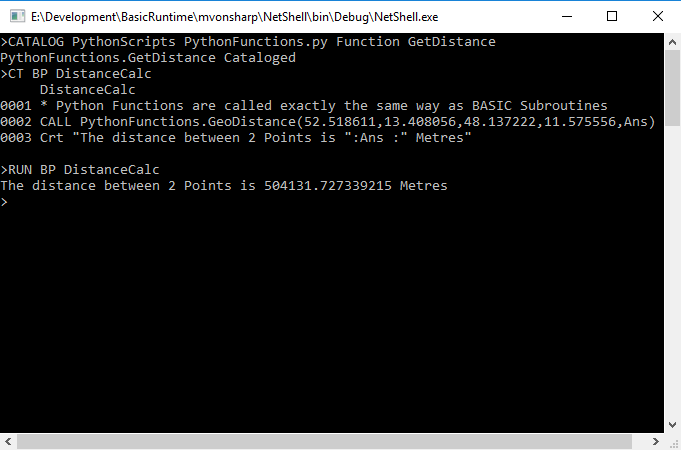
We create a catalog entry for the specific function as well as a BASIC program to call the Python Function.
Using Python Functions in Dictionaries and Functions
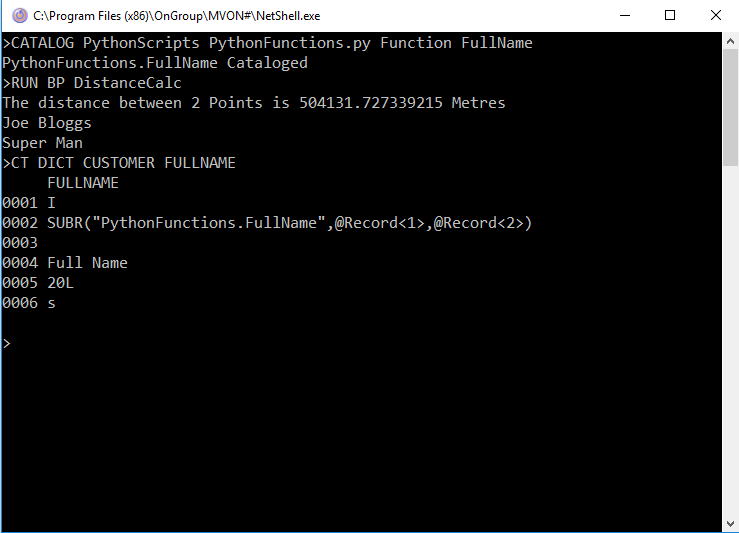
Because Python Scripts and Functions are called exactly the same way as BASIC Subroutines and Functions, you can call Python Functions from a Dictionary I-Type using the SUBR Call or as a Function in your program.
In this example, we are going to add a new Python Function to concatenate 2 fields and call the function from a BASIC program as well as from an I-Type.
PythonFunctions.py
# Multiple functions can be stored in a single Python Script
import clr
import geo

# Using the geo library calculate the distance between 2 geographic points
def GeoDistance(StartX, StartY, EndX, EndY, Result):
    global arg4
    StartPoint = geo.xyz(StartX, StartY)
    EndPoint = geo.xyz(EndX, EndY)
    # Python objects are passed by value not reference
    # we create a global variable arg4 to pass the result back
    # to MVSHARP in the variable Result, arg1 = StartX, arg2 = Starty etc
    arg4 = geo.distance(StartPoint, EndPoint)
#
def FullName(FirstName,LastName):
    return FirstName.ToString()+ " "+ LastName.ToString()
The CalcDistance program:
* Python Functions are called exactly the same way as BASIC Subroutines
CALL PythonFunctions.GeoDistance(52.518611,13.408056,48.137222,11.575556,Ans)
Crt "The distance between 2 Points is ":Ans :" Metres"
* Python Functions can also be called as BASIC Functions
Deffun PythonFunctions.FullName(FirstName,LastName)
*
Crt PythonFunctions.FullName("Joe","Bloggs")
Crt PythonFunctions.FullName("Super","Man")
The results below show the Python Function being executed as a BASIC FUNCTION and an I-Type.
Appendix
The script below creates the CUSTOMER file and adds a record for the test scripts:
import clr
import sys

# Create references to MVSHARP Runtime
clr.AddReferenceToFileAndPath("C:\Program Files (X86)\MVSHARP\BasicRuntime.dll")
clr.AddReferenceToFileAndPath("C:\Program Files (X86)\MVSHARP\DimArray.dll")
clr.AddReferenceToFileAndPath("C:\Program Files (X86)\MVSHARP\DynArray.dll")
from BasicRuntime import Functions
from BasicRuntime import Session
from DynArray import DynamicArray
from DimArray import DimensionedArray

# Create a new file called CUSTOMER for demo
print "Creating Customer - Display error if Exists"
Functions.EXECUTE("CREATE.FILE CUSTOMER",None,None,None,None)

# Create dynamic arrays
key = DynamicArray("000001");
record = DynamicArray();
fileVar = DynamicArray();
Functions.OPEN(DynamicArray(),"CUSTOMER",fileVar)
record.setAttribute(1,"Super")
record.setAttribute(2,"Man")
record.setMultivalue(3,1,"1 Bruce Wayne Drive")
record.setMultivalue(3,2,"San Francisco")
record.setMultivalue(3,3,"55576")
Functions.WRITE(fileVar,key,record,-1,False,False,False)