MVsharp REST interface
Details and examples of using MVsharp REST Interface to integrate into the MVsharp environment.
Introduction
The MVsharp REST Interface allows external applications to communicate with MVsharp using the REST Web Services protocol. It provides similar functionality to NetObjects but does not require a library to be loaded on the client application.
The following features are supported in the MVsharp REST Interface:
- Read and write records from files in an account.
- Execute TCL statements. If the statement results in a SELECT list being created, the list is also returned.
- Call subroutines. Subroutines can be called with arguments, and the resulting arguments are returned.
- Selecting files.
- Get statistics of the connections to MVsharp.
- Managing users, locks and processes.
The REST Interface is hosted in the MVsharp Service and does not require any Web Server to be installed on your systems.
The connection layer between the REST server and MVsharp uses NetObjects. A pool of connections is created by specifying the MaxPool and MinPool configuration parameters. The connection pool scales up when high request loads are encountered and will scale down to the MinPool value when request loads are lower.
Prerequisites
- MVsharp version 4.
Configuring REST Server
The REST server is installed with the current default parameters and must be configured before REST calls can be made.
| Setting | Description |
|---|---|
| MvSharpServer | This is defaulted to 'localhost'. You can point the REST server to another instance of MVsharp. |
| MvSharpUser | This is blank by default and needs to be configured with the TCL Command REST.CONFIG. You need to have administrator access to do this. |
| MvSharpPassword | This is blank by default and needs to be configured with the TCL Command REST.CONFIG. You need to have administrator access to do this. |
| MinPool | This is defaulted to 3 and is the number of connectors that are created at startup. |
| MaxPool | This is defaulted to 10 and is the maximum number of connectors that can be used for REST calls. Connections are tied to a specific account so if there are a lot of accounts being accessed, increase as required. |
| RestPort | This is defaulted to 9005 and is the port the end points will be listening on. |
The TCL command REST.CONFIG can be used to configure these values. You must have Administrative Rights to successfully configure the REST server.
Calling MVsharp REST Interface
The examples below are based on the default configuration above. If you have used a different port, the REST calls need to be modified to reflect those changes.
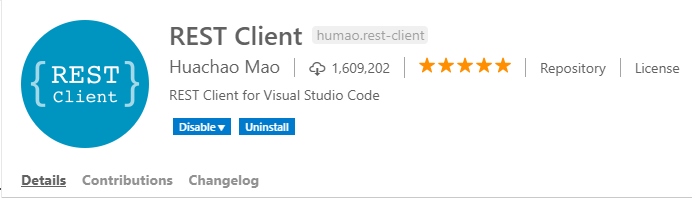
Visual Studio Code has HTTP extensions that allow you to test REST calls from the IDE. We recommend installing this extension when testing the REST Interface.
List of Accounts on the server
To get a list of Accounts on the server we use the GET command:
http://localhost:9005/accounts
Returns:
HTTP/1.1 200 OK
Content-Length: 348
Content-Type: application/json; charset=utf-8
Server: Microsoft-HTTPAPI/2.0
Date: Thu, 18 Nov 2018 10:49:13 GMT
Connection: close

[
  {
    "AccountName": "MVsharp",
    "AccountPath": "E:\\MVsharp Accounts\\MVsharp"
  },
  {
    "AccountName": "LICENSE",
    "AccountPath": "E:\\MVsharp Accounts\\LICENSE"
  },
  {
    "AccountName": "DEMO",
    "AccountPath": "E:\\MVsharp Accounts/DEMO"
  },
  {
    "AccountName": "MVSYNC",
    "AccountPath": "E:\\MVsharp Accounts/MVSYNC"
  },
  {
    "AccountName": "MVREST",
    "AccountPath": "E:\\MVsharp Accounts/MVREST"
  }
]
Reading and Writing Records
To read a record from a file in MVsharp we use the GET command:
http://localhost:9005/database/{Account}/{FileName}/{RecordId}
Database is the REST controller.
Account, FileName and RecordId are the parameters to be passed to the controller and are mandatory.
http://localhost:9005/database/MVsharp/VOC/DICTLIST
Returns:
HTTP/1.1 200 OK
Content-Length: 90
Content-Type: application/json; charset=utf-8
Server: Microsoft-HTTPAPI/2.0
Date: Thu, 18 Nov 2018 14:48:25 GMT
Connection: close

{
"RecordId": "DICTLIST",
"Record": "PHþType Definition Conversion Head Format Depth By LOC"
}
The Record returned is in Multivalue format with Attribute, Value and Subvalue marks.
To write a record to a file in MVsharp we use the POST command:
POST http://localhost:9005/database/MVsharp/VOC/NewRecordId
Content-Type: application/json

{
  "RecordId": "NewRecordId",
  "Record": "Record Sent by MVsharp REST"
}
The RecordId and Record values are passed in the body of the HTTP POST command. The Record value contains a delimited string with Attribute marks, Value marks and Subvalue marks.
To delete a record from an MVsharp file we use the DELETE command:
DELETE http://localhost:9005/database/MVsharp/VOC/NewRecordId
Calling Subroutines
To call an MVsharp BASIC/JavaScript/Python/TypeScript subroutine we use the POST command:
http://localhost:9005/Subroutine/{Account}
Subroutine is the REST controller.
Account is the name of the account where the subroutine is compiled and catalogued.
In this example we have a simple BASIC subroutine that adds two numbers:
POST http://localhost:9005/Subroutine/MVsharp
Content-Type: application/json

{
  "SubroutineName":"ADD",
  "Arguments":["25","50",""]
}
Note
You must provide an argument for each of the subroutine's parameters.
Returns:
HTTP/1.1 200 OK
Content-Length: 16
Content-Type: application/json; charset=utf-8
Server: Microsoft-HTTPAPI/2.0
Date: Fri, 19 Nov 2018 07:26:58 GMT
Connection: close
[
  "25",
  "50",
  "75"
]
Executing TCL Commands
To execute a TCL command we use the POST command:
http://localhost:9005/execute/{Account}
Execute is the REST controller.
Account is the name of the account where the command will be executed.
POST http://localhost:9005/execute/MVsharp
Content-Type: application/json

{
  "TclStatement":"LIST VOC F1 F2 F3 SAMPLE 10"
}
Returns:
HTTP/1.1 200 OK
Content-Length: 933
Content-Type: application/json; charset=utf-8
Server: Microsoft-HTTPAPI/2.0
Date: Fri, 19 Nov 2018 07:32:25 GMT
Connection: close

{
  "ResponseText": [
    "LIST VOC F1 F2 F3 SAMPLE 10 09:32:26 11-19-21 Page 1 ",
    "VOC......... F1..........F2................F3............. ",
    "",
    "!CATS        Program     MVsharp.BP.Lib    !CATS.dll ",
    "!FIELDS      Program     MVsharp.BP.Lib    !FIELDS.dll ",
    "!FMTS        Program     MVsharp.BP.Lib    !FMTS.dll ",
    "!GTS         Program     MVsharp.BP.Lib    !GTS.dll ",
    "!ICONVS      Program     MVsharp.BP.Lib    !ICONVS.dll ",
    "!NES         Program     MVsharp.BP.Lib    !NES.dll ",
    "!OCONVS      Program     MVsharp.BP.Lib    !OCONVS.dll ",
    "!SPLICE      Program     MVsharp.BP.Lib    !SPLICE.dll ",
    "&COMO&       File        &COMO&            D_&COMO& ",
    "&DEVICES&    F           [MVsharp].[dbo]   [MVsharp].[dbo] ",
    "                         .[_&DEVICES&]     .[D__&DEVICES&] ",
    "",
    "10 records listed.",
    ""
  ],
    "ResponseList": [
    ""
  ]
}
If the command results in a select list being created, the list is returned in the object ResponseList.
Selecting Files
To select a file with criteria, we use the POST command:
POST http://localhost:9005/Select/{Account}/{FileName}
Select is the REST controller.
Account is the name of the account where the command will be executed and FileName is the file to be selected.
POST http://localhost:9005/Select/MVsharp/VOC
Content-Type: application/json

{
  "Criteria" : "WITH @ID LIKE LIST..."
}
Returns:
HTTP/1.1 200 OK
Content-Length: 190
Content-Type: application/json; charset=utf-8
Server: Microsoft-HTTPAPI/2.0
Date: Fri, 19 Nov 2018 07:35:19 GMT
Connection: close

[
  "LIST",
  "LIST.ACCOUNTS",
  "LIST.CACHE",
  "LIST.DIFF",
  "LIST.INDEX",
  "LIST.INTER",
  "LIST.ITEM",
  "LIST.LOCKS",
  "LIST.READU",
  "LIST.TRIGGER",
  "LIST.UNION",
  "LISTF",
  "LISTFILES",
  "LISTPTR",
  "LISTU",
  "LISTUSER"
]
Compiling Programs
To compile a BASIC program on the server we use the GET command:
http://localhost:9005/compile/{Account}/{FileName}/{ProgramName}[/{Options}]
Compile is the REST controller.
Account, FileName and ProgramName are the parameters to be passed to the controller and are mandatory.
Options is an optional parameter to pass to the BASIC command.
GET http://localhost:9005/compile/MVsharp/MVsharp.BP/ED/D
Returns:
HTTP/1.1 200 OK
Content-Length: 48
Content-Type: application/json; charset=utf-8
Server: Microsoft-HTTPAPI/2.0
Date: Fri, 19 Nov 2018 07:44:17 GMT
Connection: close

{
  "Result": "ED Compiled Successfully",
  "Errors": []
}
Cataloging Programs
To catalog a BASIC program on the server we use the GET command:
http://localhost:9005/catalog/{Account}/{FileName}/{ProgramName}
Catalog is the REST controller.
Account, FileName and ProgramName are the parameters to be passed to the controller and are mandatory.
GET http://localhost:9005/catalog/MVsharp/MVsharp.BP/ED
Returns:
HTTP/1.1 200 OK
Content-Length: 14
Content-Type: application/json; charset=utf-8
Server: Microsoft-HTTPAPI/2.0
Date: Fri, 19 Nov 2018 07:55:44 GMT
Connection: close

"ED Cataloged"
Get a List of Active Users
To get a list of active users we use the GET command:
http://localhost:9005/users
Users is the REST controller.
HTTP/1.1 200 OK
Content-Length: 477
Content-Type: application/json; charset=utf-8
Server: Microsoft-HTTPAPI/2.0
Date: Fri, 19 Nov 2018 10:18:25 GMT
Connection: close

[
  {
    "ProcessId": 32780,
    "UserId": "Grant Hart",
    "AccountName": "MVsharp",
    "Type": "shell",
    "LastCommand": "X",
    "LoginDate": "2018-11-19T12:17:20",
    "IpAddress": ""
  },
  {
    "ProcessId": 26924,
    "UserId": "Grant Hart",
    "AccountName": "MVsharp",
    "Type": "NetObj",
    "LastCommand": "LOGTO MVsharp",
    "LoginDate": "2018-11-19T12:18:14",
    "IpAddress": "127.0.0.1"
  },
  {
    "ProcessId": 37552,
    "UserId": "Grant Hart",
    "AccountName": "MVsharp",
    "Type": "telnet",
    "LastCommand": "X",
    "LoginDate": "2018-11-19T12:17:24",
    "IpAddress": "127.0.0.1"
  }
]
Send a Message to a User
To send a message to a user we use the POST command:
http://localhost:9005/users
Users is the REST controller.
POST http://localhost:9005/Users
Content-Type: application/json

{
  "ProcessId" : "12345",
  "ActionType" : "Message",
  "MessageText" : "This is a message"
}
HTTP/1.1 200 OK
Content-Length: 477
Content-Type: application/json; charset=utf-8
Server: Microsoft-HTTPAPI/2.0
Date: Fri, 19 Nov 2018 10:18:25 GMT
Connection: close
Logoff a User
To log off a specific user we use the POST command:
http://localhost:9005/users
Users is the REST controller.
POST http://localhost:9005/Users
Content-Type: application/json

{
  "ProcessId" : "12345",
  "ActionType" : "Logoff"
}
Returns:
HTTP/1.1 200 OK
Content-Length: 477
Content-Type: application/json; charset=utf-8
Server: Microsoft-HTTPAPI/2.0
Date: Fri, 19 Nov 2018 10:18:25 GMT
Connection: close
Checking the status of the REST API Controllers
To check the status of the controllers we use the GET command:
http://localhost:9005/status
Status is the REST controller.
Returns:
HTTP/1.1 200 OK
Cache-Control: no-cache
Pragma: no-cache
Content-Type: application/json; charset=utf-8
Expires: -1
Server: Microsoft-IIS/10.0
X-AspNet-Version: 4.0.30319
X-Powered-By: ASP.NET
Date: Fri, 09 Nov 2018 11:27:32 GMT
Content-Length: 345

[{
  "AccountName": "APA",
  "StartTime": "2018-11-09T13:27:22.6990641+02:00",
  "ProcessingRequest": false,
  "LastProcessed": "2018-11-09T13:27:22.6990641+02:00",
  "MessagesProcessed": 1
  }, {
  "AccountName": "MVsharp",
  "StartTime": "2018-11-09T13:15:07.0580597+02:00",
  "ProcessingRequest": false,
  "LastProcessed": "2018-11-09T13:23:37.477586+02:00",
  "MessagesProcessed": 5
}]
A list of each connection to MVsharp is returned.
Resetting the REST Controllers
If the REST server becomes unstable, you can reset all controllers with a GET command:
http://localhost:9005/status/reset
Status is the REST controller.
Returns:
HTTP/1.1 200 OK
Cache-Control: no-cache
Pragma: no-cache
Content-Type: application/json; charset=utf-8
Expires: -1
Server: Microsoft-IIS/10.0
X-AspNet-Version: 4.0.30319
X-Powered-By: ASP.NET
Date: Fri, 09 Nov 2018 11:27:32 GMT
Content-Length: 345

[{
  "AccountName": "APA",
  "StartTime": "2018-11-09T13:27:22.6990641+02:00",
  "ProcessingRequest": false,
  "LastProcessed": "2018-11-09T13:27:22.6990641+02:00",
  "MessagesProcessed": 1
}, {
  "AccountName": "MVsharp",
  "StartTime": "2018-11-09T13:15:07.0580597+02:00",
  "ProcessingRequest": false,
  "LastProcessed": "2018-11-09T13:23:37.477586+02:00",
  "MessagesProcessed": 5
}]
A list of each connection to MVsharp is returned.